

Download OneLoupe – Zoom, Screen Magnifier, Visual Aid, Productivity Tool, Remote Work, Multi-Monitor
Overview
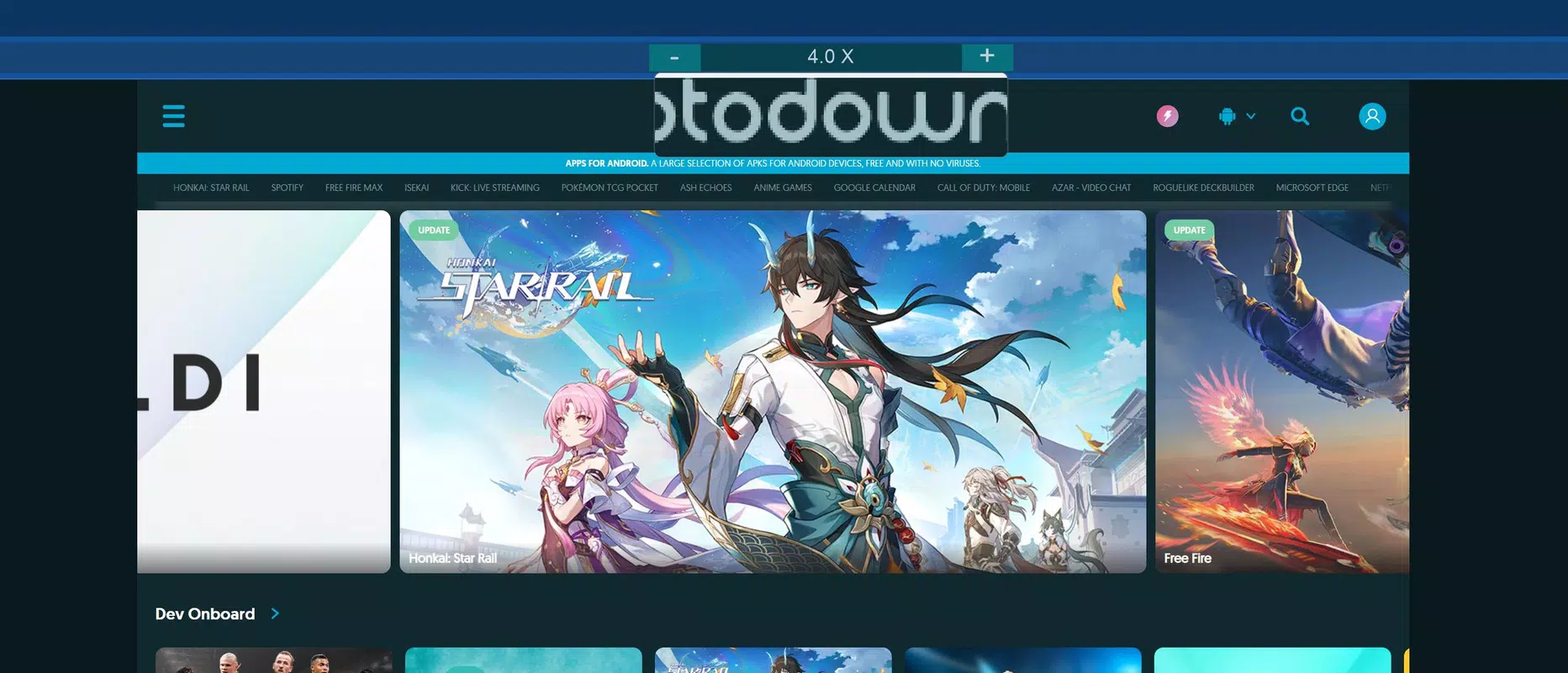
OneLoupe is a specialized utility designed to enhance screen visibility for users facing challenges with visual clarity. The app addresses the growing need for accessible digital tools, particularly among individuals with visual impairments or those engaged in remote work environments where screen detail is critical. By enabling users to magnify screen elements without sacrificing resolution, OneLoupe supports clearer viewing and more precise interaction with digital content. Its lightweight nature and portable design make it ideal for users who require quick access to screen magnification across multiple devices or workstations.
The app is particularly beneficial for professionals managing detailed tasks—such as graphic design, data analysis, or remote collaboration—who rely on accurate visual feedback. It also serves as a valuable aid for older adults or individuals with declining vision who may struggle with small text and icons. OneLoupe is developed by OneLoupe, a company focused on accessibility and productivity tools, though no further details about the developer’s background were provided. The app supports multi-monitor setups, allowing users to apply magnification independently on two screens, which enhances multitasking efficiency.
Given its free availability and lack of installation requirements, OneLoupe fits seamlessly into modern digital workflows. It is especially relevant in today’s hybrid work culture, where users frequently switch between devices and require consistent accessibility features. The app fills a niche in the productivity ecosystem by offering a no-frills, reliable solution for screen magnification, making it a practical addition for anyone seeking improved visual clarity on their computer.
Key Features & Functionality
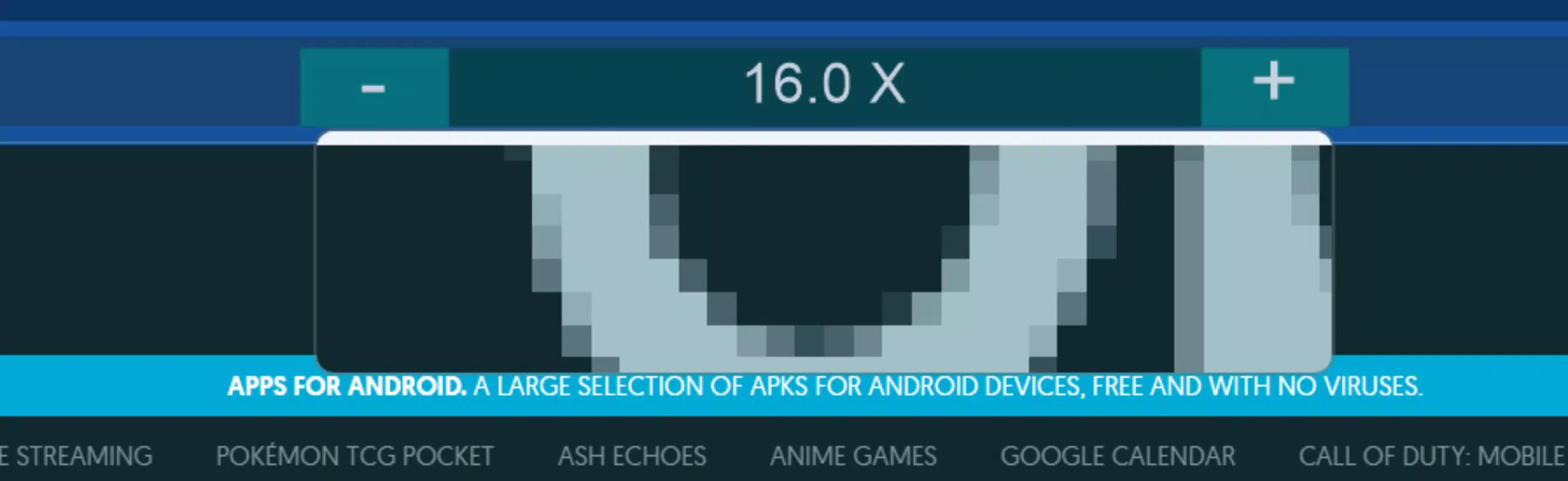
- Customizable Zoom Levels: Users can adjust magnification dynamically to suit their visual needs. Whether reading fine print, reviewing high-detail images, or managing complex interfaces, this feature ensures optimal visibility without blurring or pixelation.
- Multi-Screen Compatibility: OneLoupe supports two monitors simultaneously, enabling users to zoom in on one screen while keeping the other at normal scale. This is ideal for streaming content on one display while referencing documents on another.
- Lightweight and Portable: At just 2.5 MB, the app does not consume significant system resources. Its portable design means it can be run directly from a USB drive or desktop without installation, making it suitable for shared or restricted environments.
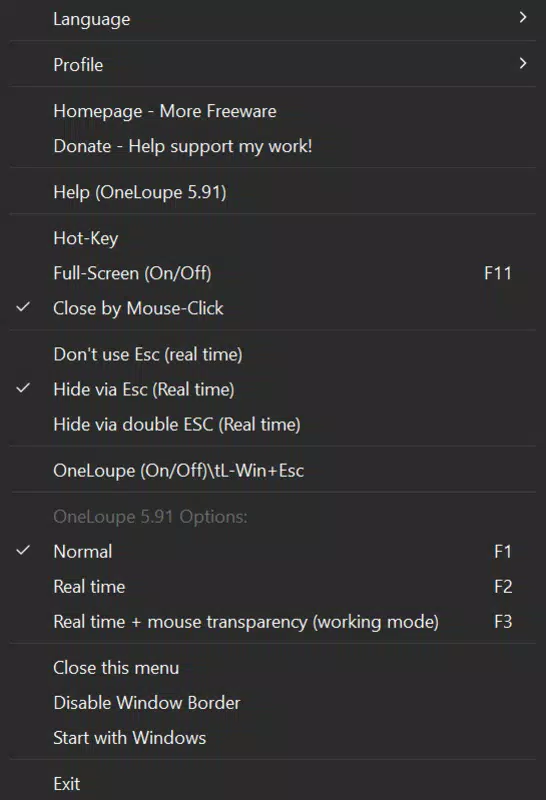
- Keyboard and Mouse Control: The app allows for intuitive adjustments using standard input devices. Users can quickly increase or decrease zoom levels with keyboard shortcuts or mouse gestures, minimizing workflow interruptions.
- Favorite Settings Saving: Users can save preferred zoom configurations to restore them automatically upon startup. This feature reduces setup time and ensures consistency across sessions, improving long-term usability.
For example, a remote worker reviewing a contract on a large monitor while using a secondary screen for video calls can use OneLoupe to enlarge the contract text without affecting the video feed. Similarly, a designer working on intricate UI elements can zoom in on a specific area while maintaining full context on the rest of the screen. These real-world applications highlight OneLoupe’s practical value in both professional and personal settings.
Interface, UX & Performance
The interface of OneLoupe is designed with simplicity and accessibility in mind. It features a minimalistic layout with clearly labeled controls, ensuring that users can navigate and adjust settings without confusion. The visual style prioritizes clarity over ornamentation, aligning with its core purpose of enhancing visibility.
Navigation is straightforward, relying on keyboard shortcuts and mouse interactions to trigger zoom functions. The app integrates seamlessly into the user’s workflow, launching quickly and responding promptly to input. Although the developer did not list formal performance metrics, the app’s small file size and lack of installation suggest efficient resource usage.
Performance across different device categories is not explicitly documented. However, its lightweight nature implies it should function smoothly on a range of Windows systems, including older or low-spec machines. Responsiveness is maintained through direct execution from the desktop, avoiding background processes that could slow down the system. Stability appears consistent, as no reports of crashes or freezes were mentioned in the provided data. Overall, the user experience is optimized for ease of use and immediate access, making it a dependable tool for on-demand screen magnification.
Platform Compatibility & Technical Requirements
OneLoupe is available exclusively for Windows, as specified in the platform details. The current version is 1.0.0, released on December 6, 2024. The application file size is 2.5 MB, indicating a minimal footprint that contributes to fast loading times and low storage usage.
The developer did not specify minimum OS requirements, nor did they provide information on compatibility with specific Windows versions. However, given its lightweight design and portable nature, it is likely to function on most modern Windows systems, including Windows 10 and Windows 11. No additional dependencies or permissions were listed, which suggests a self-contained execution environment.
Users should note that the app is not available on mobile platforms such as Android or iOS. It is intended for desktop use and does not require installation, allowing direct execution from a local drive. This makes it particularly suitable for temporary or shared computing environments where software installation is restricted.
Pros and Cons
- Free to download and use
- Lightweight with minimal system impact
- Portable—no installation required
- Supports multi-monitor setups
- Customizable zoom levels with keyboard and mouse control
- Ability to save favorite settings for quick recall
- Not available on mobile platforms
- No detailed system requirements provided
- Only compatible with Windows
- No official support channels listed
- Limited customization beyond zoom levels
FAQ
Is OneLoupe safe to download and use?
Yes, OneLoupe is a free utility designed for Windows and does not require installation. The developer has not reported any known security risks, and its small file size suggests a low risk of malicious code.
Can I use OneLoupe on multiple monitors?
Yes, OneLoupe supports use on two screens simultaneously, allowing independent zoom control for each display. This is ideal for multitasking or streaming while referencing documents.
Do I need to install OneLoupe?
No, the app is portable and can be run directly from your desktop or USB drive without installation. This makes it convenient for shared or restricted systems.
Is OneLoupe compatible with older versions of Windows?
The developer did not specify compatibility details. However, due to its lightweight design, it is likely to work on most modern Windows systems, including Windows 10 and 11.
Can I save my preferred zoom settings?
Yes, OneLoupe allows users to save their favorite zoom configurations. These settings are restored automatically when the app is launched, ensuring consistent performance across sessions.
Final Thoughts
OneLoupe delivers a focused, reliable solution for users seeking enhanced screen visibility without the complexity of full-scale accessibility software. Its lightweight design, portability, and multi-monitor support make it a standout tool in the productivity category. While it lacks mobile availability and detailed system specifications, its core functionality is well-executed and purpose-built for real-world use.
Individuals with visual challenges, remote workers, and professionals managing high-detail tasks will find the app particularly valuable. The ability to save settings and operate via keyboard and mouse ensures a smooth, uninterrupted workflow. For those in need of a simple, secure, and free screen magnifier, OneLoupe offers a compelling option.
Download OneLoupe now


